Inbound Enrichment: LeadConnector → Lead Generation Tool → LeadConnector
This guide shows how to send a contact from LeadConnector to the Lead Generation Tool, enrich it, and send it back automatically.
Step 1: Create a Save List in the Lead Generation Tool
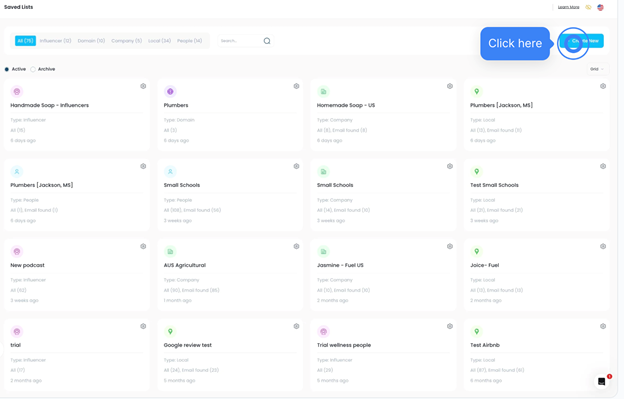
- Go to Lead Search → Save List
- Click Create New
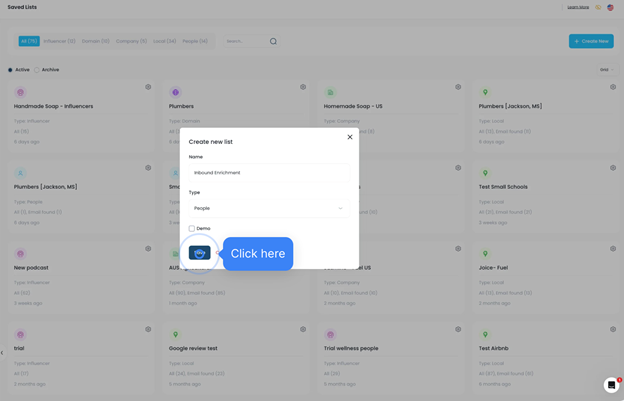
- Name it: Inbound Enrichment
- Type: People
- Click Save
Step 2: Create an AI Agent in the Lead Generation Tool
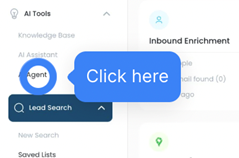
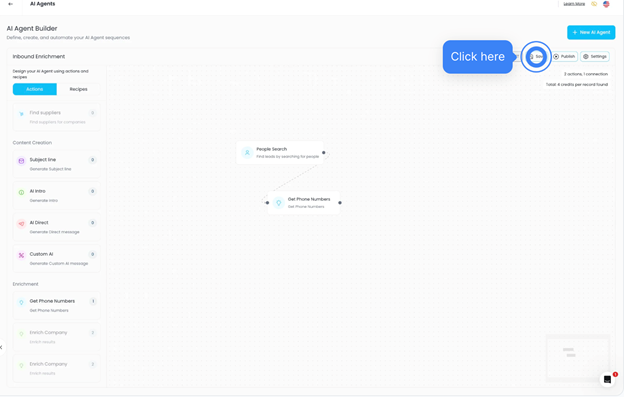
- Go to AI Agents → Create New
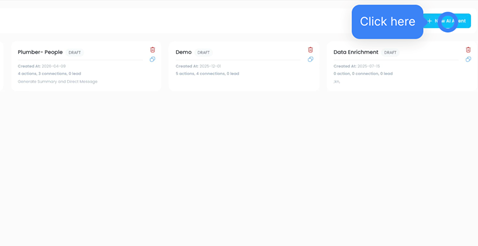
- Name it: Inbound Enrichment
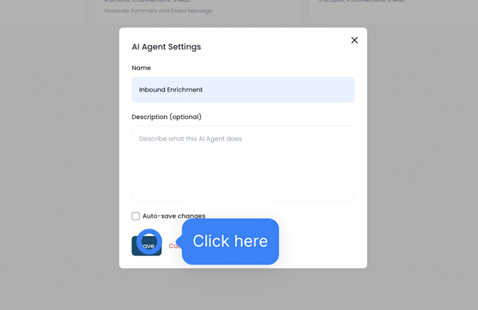
- Select:
- Search Type: People Search
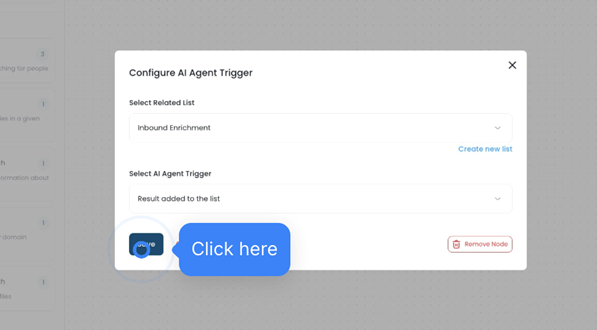
- Related List: Inbound Enrichment
- Trigger: Result Added to List
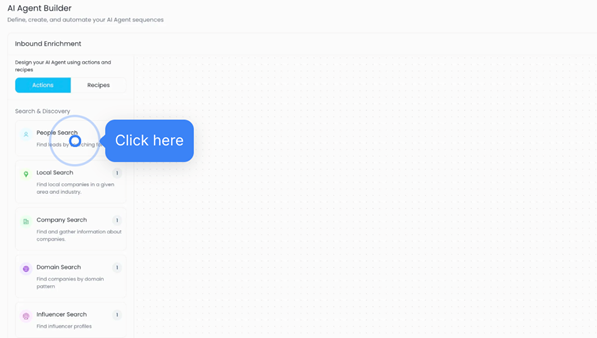
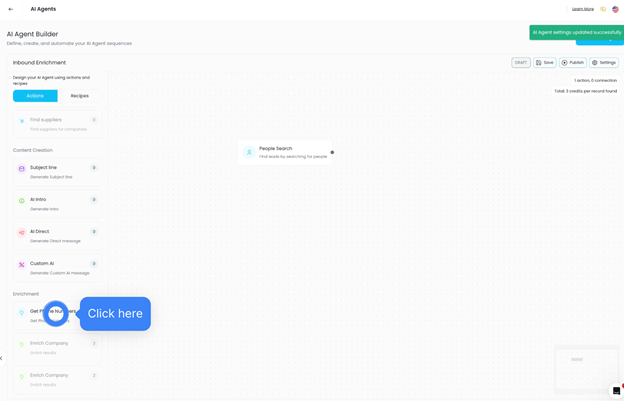
- Add Get Phone Numbers or any other steps your prefer
- Add the steps that will send the contacts to the CRM
- Click Save and Publish
Step 3: Create Automation in LeadConnector
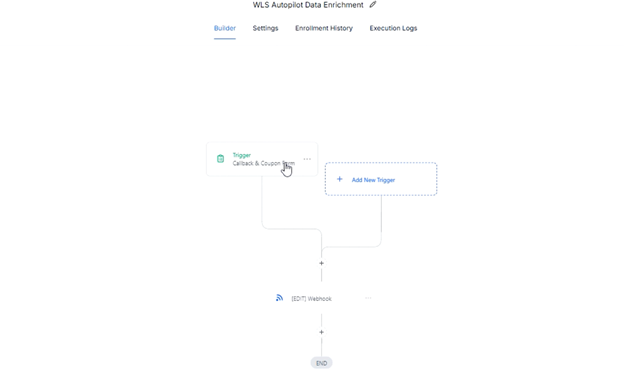
- Go to Automation → Create from Scratch
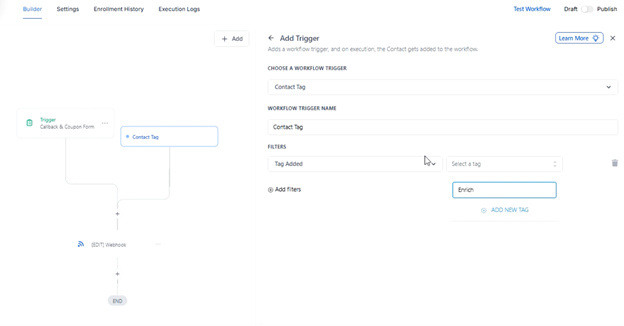
- Choose a trigger:
- Tag Added (example: Enrich)
- OR
- Form Submitted
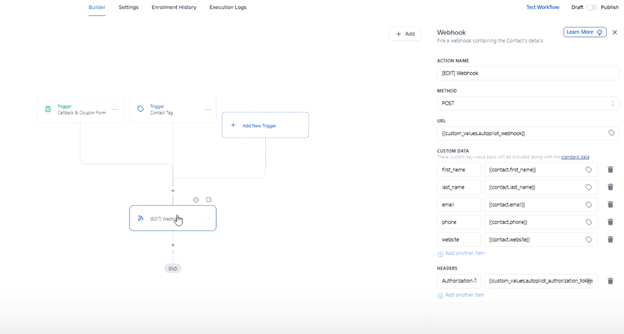
- Add a Webhook action
Step 4: Connect the Webhook
In the Lead Generation Tool:
- Open your Inbound Enrichment list
- Click the gear icon → Webhook → Setup
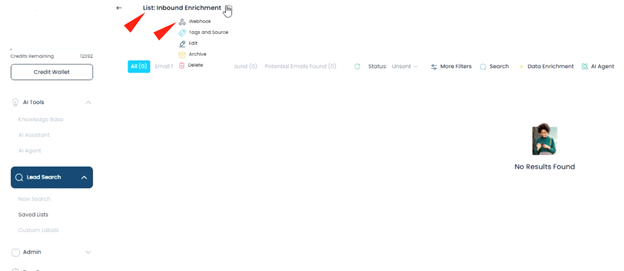
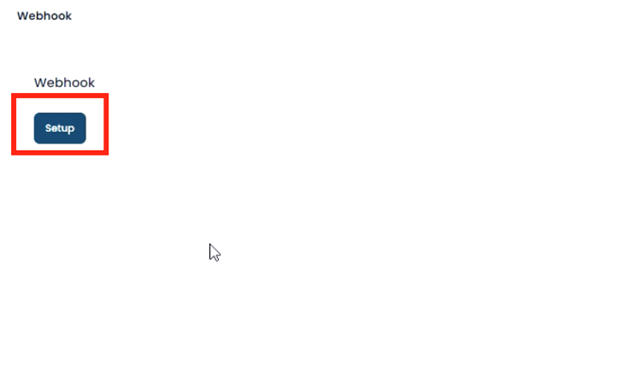
- Copy:
- Webhook URL
- Authorization Token
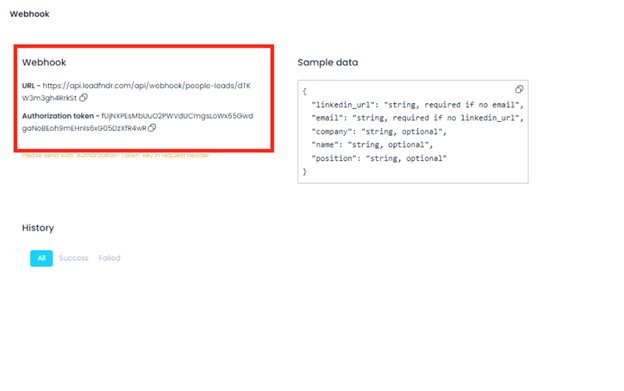
In LeadConnector webhook:
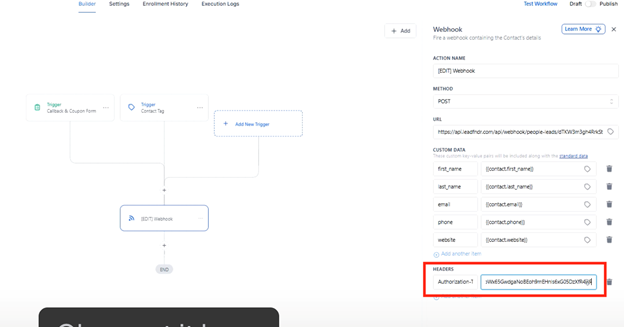
- Paste the Webhook URL within the URL box
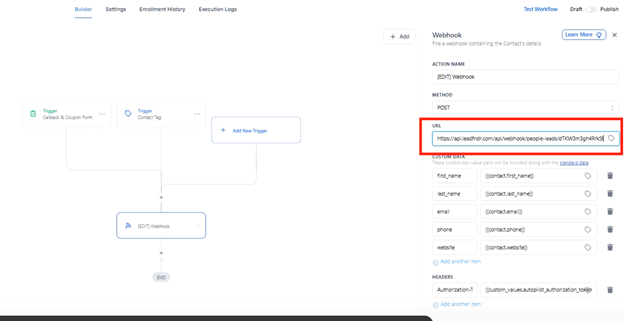
- Add Header:
- Name: Authorization-Token (capital T)
- Paste the Authorization token within the Headers URL
Map these fields:
- first_name
- last_name
- phone
- website
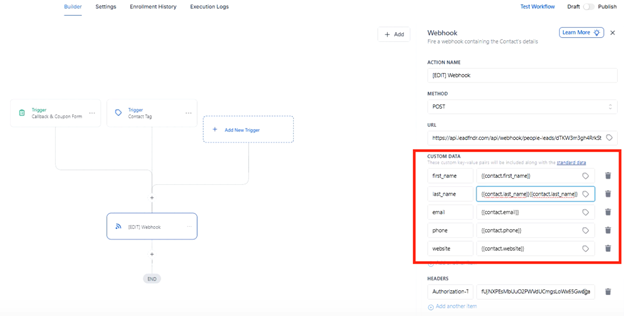
Save and publish.
How It Works
- You tag a contact in LeadConnector
- Contact is sent to the Lead Generation Tool
- AI Agent enriches it
- Updated data is sent back to LeadConnector
Was this article helpful?
That’s Great!
Thank you for your feedback
Sorry! We couldn't be helpful
Thank you for your feedback
Feedback sent
We appreciate your effort and will try to fix the article